# Beauty Advisor > Pending orders - viewing orders

# ![Screenshot_2020-04-29_at_19.12.41.png](https://knowledge.tauceti-digital.com/uploads/images/gallery/2024-11/10467355190940.png) Getting started

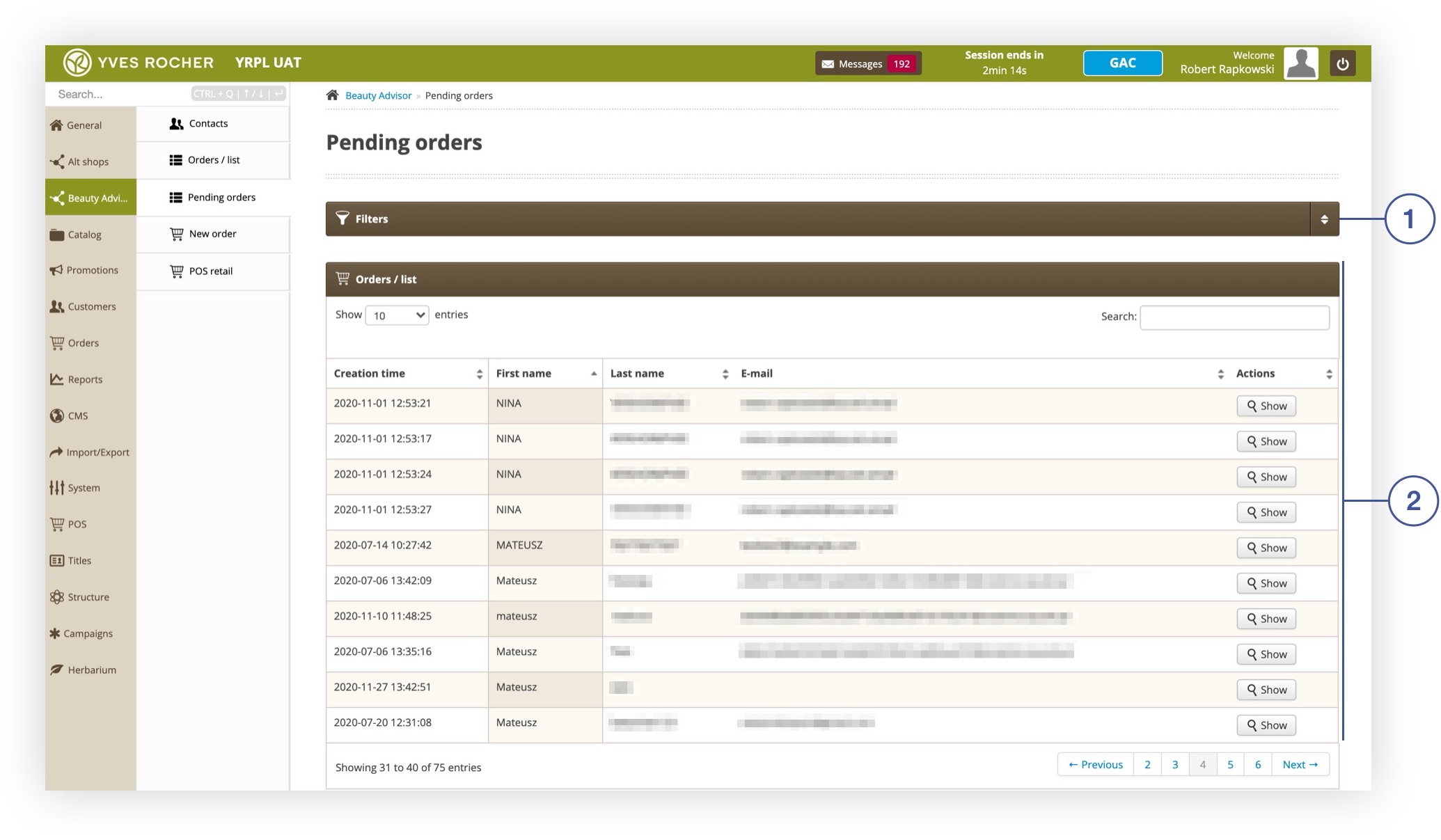
<span>The ***Pending orders*** section in the</span><span> </span>***Beauty Advisor***<span> contains the table **<span style="color: #4054a0;">(2) </span>**with the BA’s order pending list. The table is susceptible to sorting, it allows to preview and search for orders. The ***Filters*** section **<span style="color: #4054a0;">(1)</span>** allows for selecting orders that meet the specified criteria, described in the  
[Filters](#bkmrk-filters) chapter.</span><span></span>

<span class="wysiwyg-color-black" style="color: #44549b;">![info2.svg](https://knowledge.tauceti-digital.com/uploads/images/gallery/2024-11/10467346893212.png) **Remember**</span><span class="wysiwyg-color-black" style="display: block; margin-top: 10px;"><span><span lang="PL">Pending BA Order - BA’s placed order, awaiting customer approval.  
Once accepted, the orders go to the BA order table in section ***Beauty Advisor&gt; Orders / List***. For more information on order acceptance on the customer’s side, see [Beauty Advisor &gt; New order - description of the ordering process](https://knowledge.tauceti-digital.com/books/e-commerce/page/beauty-advisor-new-order-description-of-the-ordering-process).</span></span></span>

<table id="bkmrk-pending-orders-secti" style="margin-right: auto; margin-left: auto;"><tbody><tr><td class="wysiwyg-text-align-center" style="text-align: center; vertical-align: middle;">![Pending_orders_section_in_the_Beauty_Advisor_module.jpg](https://knowledge.tauceti-digital.com/uploads/images/gallery/2024-11/360019913419.jpg)</td></tr><tr><td class="wysiwyg-text-align-center" style="text-align: center; vertical-align: middle;"><span class="wysiwyg-font-size-medium">*Pending orders section in the Beauty Advisor module*</span></td></tr></tbody></table>

  
Table of Contents:

- [ Filters](#bkmrk-filters)
- [ Viewing pending BA orders](#bkmrk-viewing-pending-ba-o)

---

# ![Screenshot_2020-04-29_at_19.12.41.png](https://knowledge.tauceti-digital.com/uploads/images/gallery/2024-11/10467355190940.png) Filters

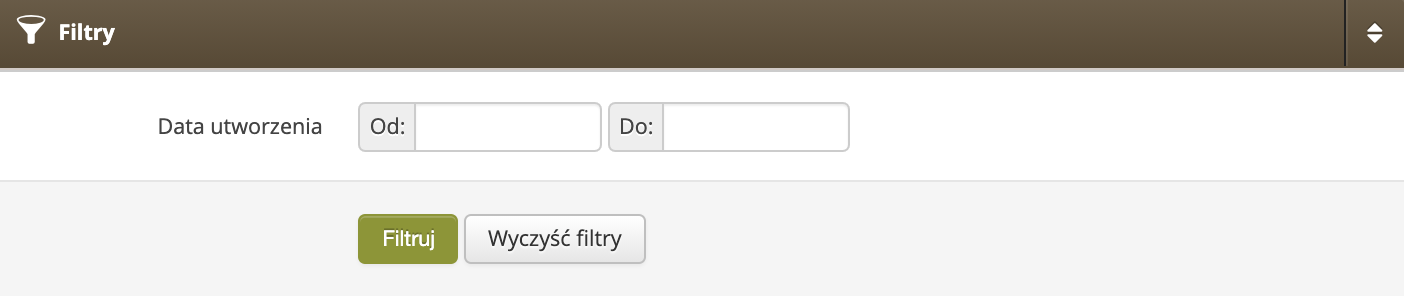
The ***Filters*** tab allows to narrow down the list of pending BA orders, based on the date range during which the orders are waiting for customer approval. Orders that meet the ***Creation time*** criterion will be displayed in the ***Orders / list*** tab.

<table id="bkmrk-filters-tab-in-secti" style="margin-right: auto; margin-left: auto; height: 153px;"><tbody><tr style="height: 110px;"><td class="wysiwyg-text-align-center" style="text-align: center; vertical-align: middle; height: 110px; width: 498px;">![Wizualizacja_sekcji_Filtry_w_module_Beauty_Advisor___Zamo_wienia_oczekuja_ce_w_panelu_administracyjnym.png](https://knowledge.tauceti-digital.com/uploads/images/gallery/2024-11/360017447359.png)</td></tr><tr style="height: 43px;"><td class="wysiwyg-text-align-center" style="text-align: center; vertical-align: middle; height: 43px; width: 498px;"><span class="wysiwyg-font-size-medium"> *Filters tab in section Beauty Advisor&gt; Pending Orders* </span></td></tr></tbody></table>

---

# ![Screenshot_2020-04-29_at_19.12.41.png](https://knowledge.tauceti-digital.com/uploads/images/gallery/2024-11/10467355190940.png) Viewing pending BA orders

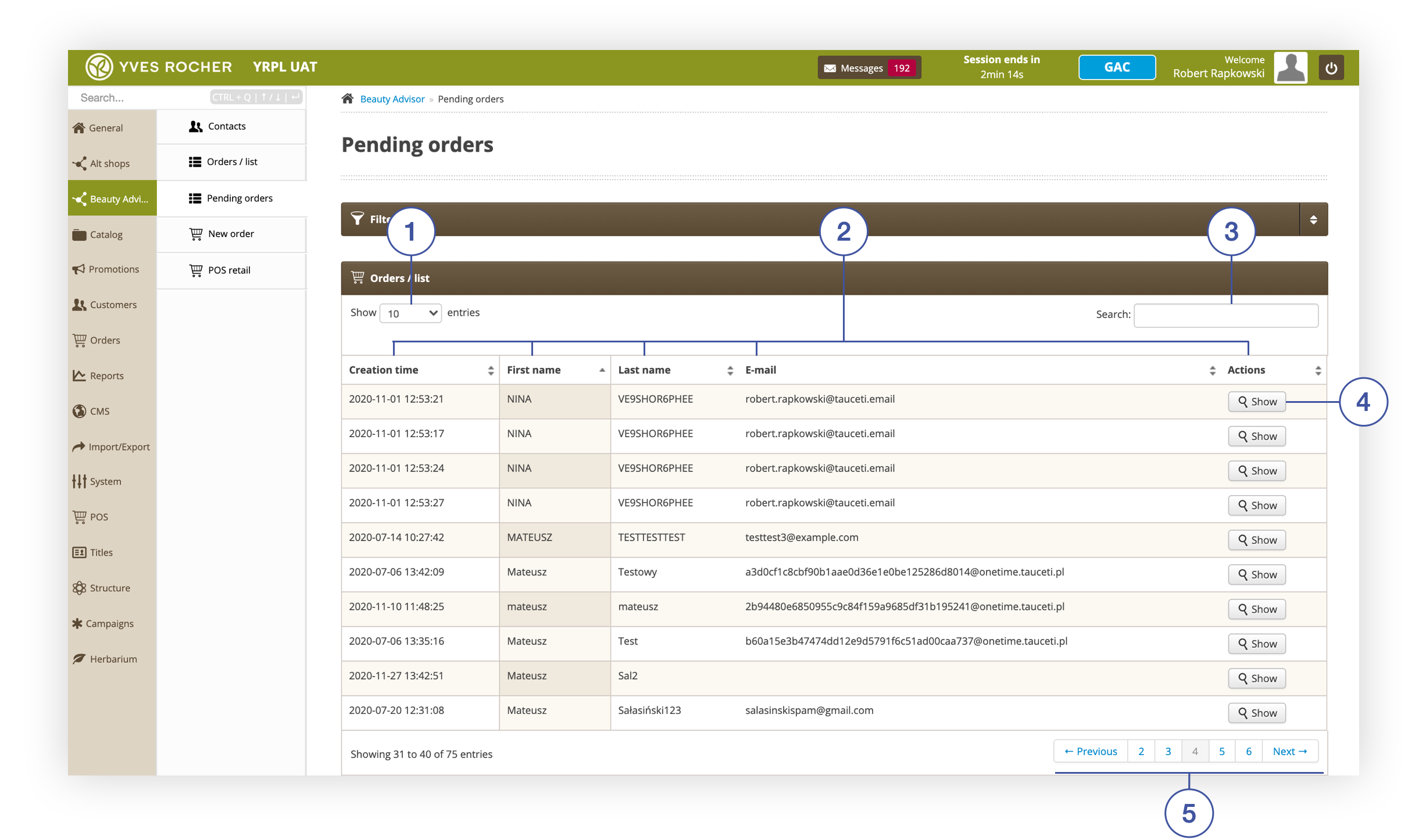
Below you will find a description of the table with the list of pending BA orders and the possible actions in the ***Orders / list*** tab.

<table id="bkmrk-orders-%2F-list-tab-in" style="margin-right: auto; margin-left: auto; height: 66px;"><tbody><tr style="height: 22px;"><td class="wysiwyg-text-align-center" style="text-align: center; vertical-align: middle; height: 22px; width: 688px;">![Orders___list_tab_in_Pending_orders_section.png](https://knowledge.tauceti-digital.com/uploads/images/gallery/2024-11/360019915259.png)</td></tr><tr style="height: 44px;"><td class="wysiwyg-text-align-center" style="text-align: center; vertical-align: middle; height: 44px; width: 688px;">Orders / list tab in Pending orders section</td></tr></tbody></table>

- **<span style="color: #4054a0;">(1) </span>Show X entries** - option to change the number of pending BA orders on one page (available range from 10 to 100).
- **<span style="color: #4054a0;">(2) </span>**- columns containing information about pending BA orders. Each column is sortable:  
    
    - **Creation time** - An exact date and time of the order creation.
    - **First name** - Customer's first name.
    - **Last name**- Customer's last name.
    - **E-mail**- Customer's e-mail address.
    - **Actions** 
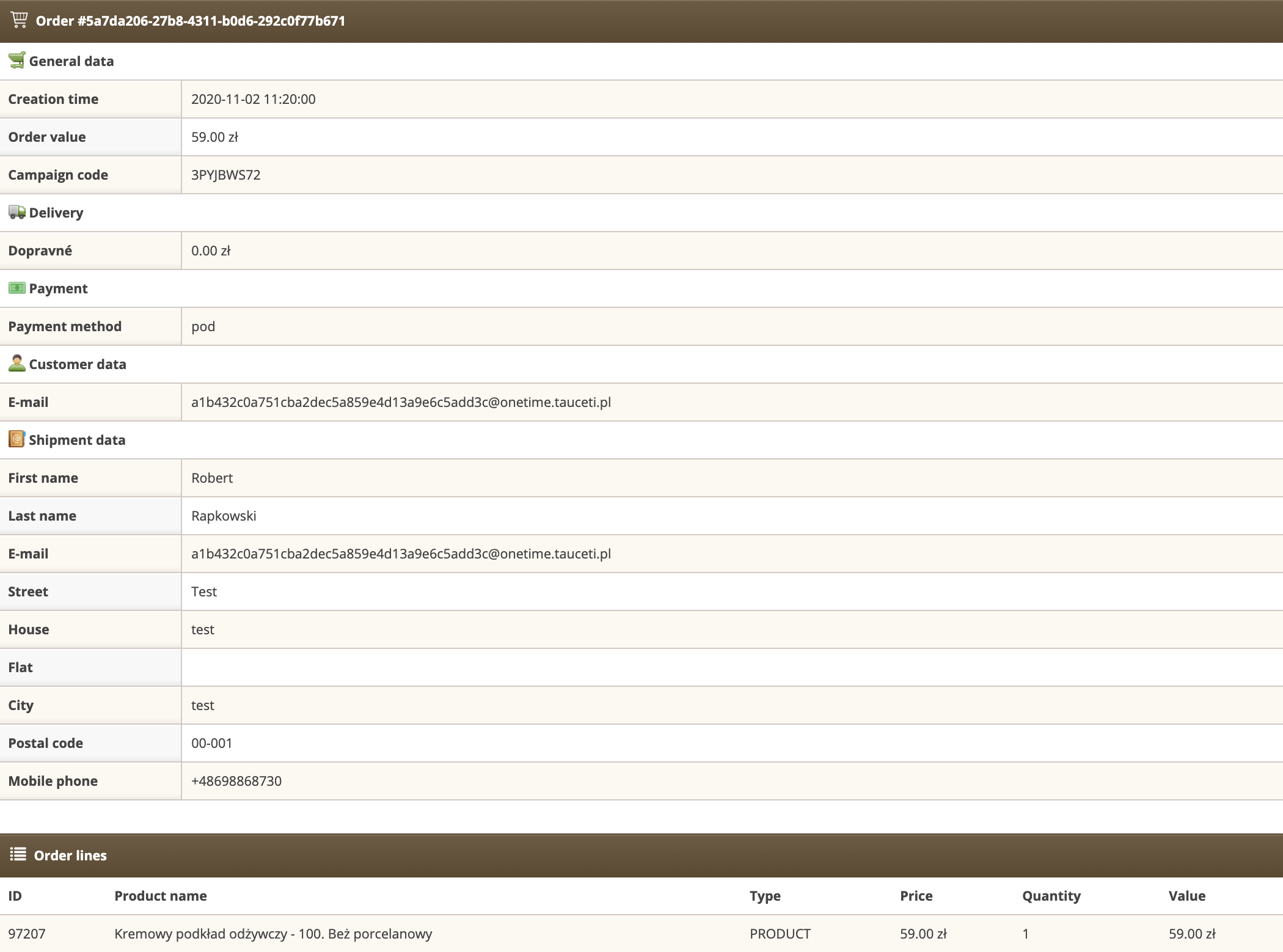
        - **Show** <span style="color: #4054a0;">**(4)** </span>- select the button to view the details <span style="font-family: -apple-system, BlinkMacSystemFont, 'Segoe UI', Helvetica, Arial, sans-serif;">of the pending BA order. The view is only used to preview order data without the possibility of performing any action.</span>

<table id="bkmrk-detailed-order-view" style="margin-right: auto; margin-left: auto;"><tbody><tr><td class="wysiwyg-text-align-center" style="text-align: center; vertical-align: middle;">![Detailed_order_view.png](https://knowledge.tauceti-digital.com/uploads/images/gallery/2024-11/360019918299.png)</td></tr><tr><td class="wysiwyg-text-align-center" style="text-align: center; vertical-align: middle;"><span class="wysiwyg-font-size-medium"> *Detailed order view* </span></td></tr></tbody></table>

- **<span style="color: #4054a0;">(3) </span>**- order search engine (search possible by criteria: **First name**, **Last name**, **Email**)
- **<span style="color: #4054a0;">(5) </span>**- navigation through the list of orders in the administration panel.